Incredibox
- 4.9
- Rating
- 1.00M
- Installs
- $2.99
- Price

 Analysis by App-foxy
I approached Incredibox as a small creative music game rather than a traditional rhythm challenge. Its central idea is simple: you work with a group of beatboxers, assign musical parts to them, and shape the result by experimenting with combinations. That sounds easy, but the appeal comes from how quickly a casual tap turns into a track that feels deliberately arranged.
Made by SO FAR SO GOOD, this music game is available for $2.99 and is rated Everyone, which makes it an approachable choice for families, curious beginners, and anyone who wants a playful way to explore rhythm without studying music theory first. It has a 4.9 average from around 59 thousand ratings, and the wider audience has taken to it strongly, with over a million installs.
My overall impression is that it succeeds because it does not make creativity feel like work. You do not need to understand notation, own an instrument, or spend time learning a complicated interface before hearing something enjoyable. At the same time, it is not a full music-production workstation, so the right question is not whether it replaces a serious audio tool. It does not. The better question is whether a focused, visual beatbox playground is worth paying for.
You May Also Like

 Pandora - Music & Podcasts
Pandora’s Music Is Easy to Start, but Harder to Recover
Pandora’s strength is its low-effort path from a seed to a station. Its weak spot is how much confidence it asks you to place in connection, setup, and quiet recovery.

 8 Ball Pool
 Is Built on Rivalries, Rematches, and Routine
A close look at the rivalries, rematches, shared routines, and unanswered safety questions that turn a quick pool match into a persistent mobile community.

 Samsung Music
’s Quiet Strength Is Playing What You Already Own
Its reach comes less from spectacle than from dependable access to a personal library. That simplicity is both the app’s strongest retention engine and its ceiling.

 AccuWeather: Weather Radar
AccuWeather Review: A Quick, Clear Forecast for Everyday Decisions
For everyday plans, the best forecast is the one you can understand quickly. AccuWeather makes rain timing, radar, and local conditions easy to act on, with a few trade-offs.

 Hill Climb Racing
Why Hill Climb Racing Still Turns Crashes Into One More Run
A tiny car, a bumpy hill and one more upgrade: Hill Climb Racing keeps resurfacing because its simple chaos makes every near-miss feel personal.

 AliExpress - Shopping App
AliExpress Makes Global Shopping Feel Personal, but Shoppers Bear the Risk
AliExpress turns a global marketplace into a pocket-sized discovery engine. Its reach is useful, its shopping loop compelling, and its trade-offs easy to miss.
More From Our News Desk
View All News


How the beatbox crew turns experimenting into music
I find the crew format useful because it turns an abstract question—what should I add next?—into a visible choice: introduce one part, listen, and decide whether the balance improves. That simple loop can make experimenting less daunting, especially when I focus on one change at a time rather than trying to build a full arrangement at once. From there, the important question is how comfortably that interaction fits different ways of seeing, hearing, and using a device.
A visual approach that removes the intimidating parts of music-making
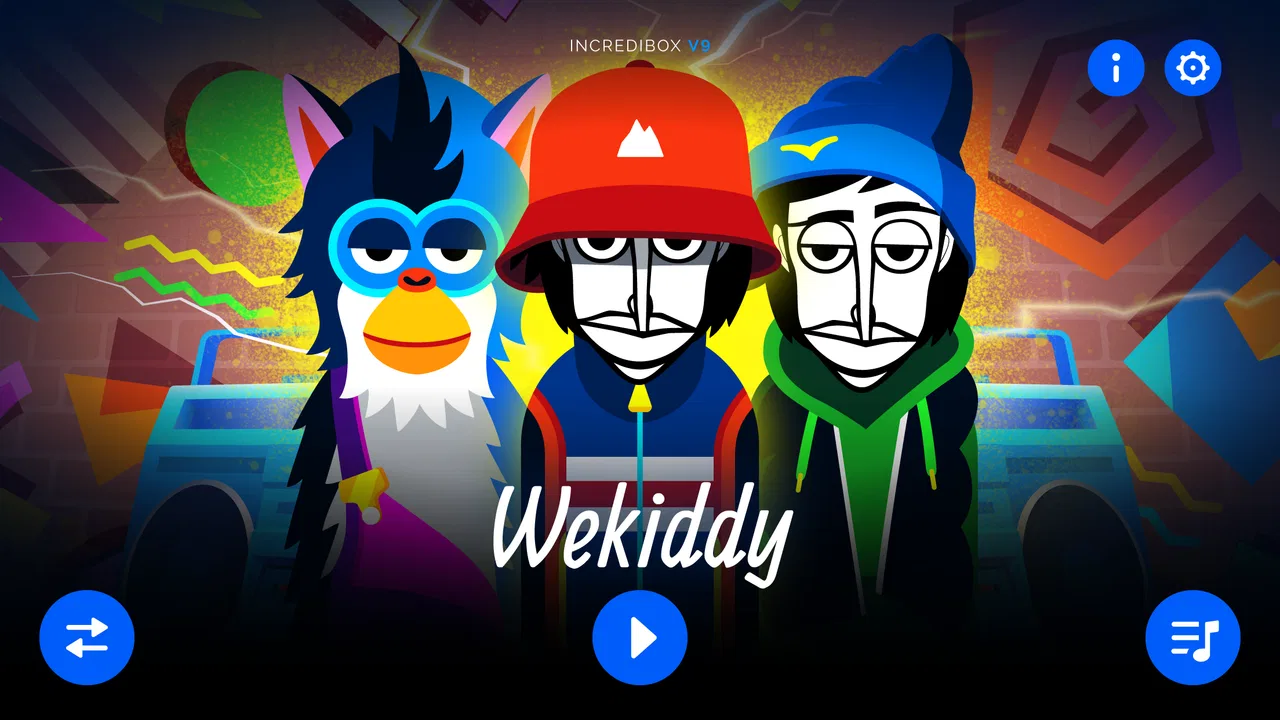
The first thing I noticed is how much the character-based design does to explain the game without lengthy instructions. Instead of presenting a grid, a mixer, or a wall of technical controls, the game puts the performers at the center. Each musical contribution is represented visually, so building a track feels closer to arranging a cast than operating studio software.
That distinction matters. Many music apps begin with empty tracks and expect the user to know what drums, bass, effects, or melodies should do. Here, the creative process starts with recognition and curiosity. I can try a sound, hear how it changes the group, remove it, and immediately understand the result. The feedback is fast enough that experimentation never feels like a test I might fail.
The strongest part of the design is the relationship between sound and animation. The performers are not just buttons with labels; they make the arrangement feel alive. When the parts work together, the visual rhythm reinforces the audio rhythm. That makes the experience especially accessible to people who respond better to movement and patterns than to technical terminology.
Why the simple loop remains interesting
The basic activity is easy to understand, but it has more depth than a one-time novelty. I can begin with a steady foundation, add a contrasting vocal element, and then remove pieces to hear which contribution was carrying the mood. That process encourages listening rather than random tapping.
A useful habit is to treat each change as an arrangement decision. Instead of adding every available sound immediately, I listen to the first combination for a moment, decide what it needs, and then introduce one new part. This makes it easier to notice how layers interact. It also prevents the common problem of creating a busy mix that is less enjoyable than a smaller one.
I found the game most satisfying when I resisted the urge to search for one “correct” combination. The fun is in discovering a version that matches the mood I want at that moment. A relaxed pattern can be more appealing than a crowded one, while a more energetic arrangement may work when I want something playful and dramatic.
Small sessions work better than forced long sessions
This is a good game to open for a short break. I can spend a few minutes trying a different arrangement, listen to the result, and put it away without feeling that I have abandoned a long campaign. There is no need to reserve an evening for it, and that makes it easy to recommend for commuting, waiting rooms, or a quick creative reset.
That short-session strength is also a limitation for players who expect a large progression system. The experience is built around making and refining music, not around unlocking a long sequence of missions or mastering increasingly difficult stages. If your ideal game gives you goals, rankings, combat, or a clear campaign, this will feel unusually open-ended.
What the purchase means in practical terms
The price is straightforward: this is a paid game at $2.99. That makes the value question clearer than it is with an app that begins free and then relies on repeated purchases. I can judge it as a one-time creative toy and ask whether I expect to return to it often enough to justify that purchase.
I would not describe the cost as an obstacle for someone already interested in musical play, especially because the experience is focused and easy to start. However, a paid download can feel less attractive to someone who only wants to test the concept for a minute. If you are undecided about whether arranging beatbox layers sounds enjoyable, the purchase requires more confidence than a free trial would.
It is important not to treat the price as a promise of professional capabilities. The value is in the interaction, the presentation, and the pleasure of building combinations. It is not a substitute for a digital audio workstation, a recording studio, or a structured course in composition. Paying for it makes sense when you want this particular kind of guided creativity, not when you are shopping for a complete music-making platform.
Useful ways to approach the game
One of my favorite approaches is to build in stages. I start with the most stable-sounding layer, add only one or two supporting parts, and then pause to listen. After that, I remove the least convincing contribution before adding anything else. This simple workflow produces cleaner results and teaches the ear to distinguish a useful layer from one that merely makes the arrangement louder.
Another good method is to make contrasting versions. I create one arrangement that feels calm and spacious, then another that is denser and more animated. Comparing them is more rewarding than trying to maximize the number of active performers. It also reveals that the game is not only about collecting sounds; it is about deciding how much space each sound should occupy.
For children, I would use it as a shared activity rather than handing over a finished demonstration. Asking a child to predict what a new performer might add turns the game into a conversation about rhythm, repetition, and contrast. There is no pressure to use formal musical vocabulary, yet the child is still practicing attentive listening and cause-and-effect reasoning.
For adults, it can work as a low-pressure creative warm-up. I would open it before writing, drawing, or brainstorming, use the visual arrangement to break out of a repetitive thought pattern, and then move on. The game is not a productivity tool, but its quick feedback can provide a useful mental reset.
Where it differs from ordinary music apps
Compared with a conventional music player, this game asks me to participate. I am not simply choosing a finished song; I am shaping the combination that I hear. Compared with a rhythm game, it is less about hitting notes at the right instant and more about arranging parts until the whole group feels coherent.
Compared with a loop-based music workstation, it is much less technical. That is its greatest advantage for beginners, but also its clearest boundary. A workstation is better if I need precise editing, detailed control, recording, or a workflow designed for producing a finished track. Incredibox is better when I want immediate results and a visual connection between each performer and the sound being added.
It also differs from a traditional instrument-learning app. It may encourage an interest in rhythm and layering, but it does not replace lessons or deliberate practice on piano, guitar, drums, or another instrument. Someone looking for fingering guidance, notation, exercises, or measurable skill development should choose a dedicated learning app instead.
Limitations I would consider before buying
The open-ended design will not satisfy everyone. I can enjoy experimenting, but a player who needs explicit objectives may eventually wonder what to do next. There is no traditional win condition driving the experience, so motivation has to come from personal curiosity and the satisfaction of finding a pleasing arrangement.
The simplicity can also create a ceiling. Once I understand the basic interaction, the challenge is not learning a large set of controls; it is continuing to find combinations that feel fresh. That makes the game welcoming at the start, but it may not offer enough complexity for someone who wants increasingly advanced composition tasks.
The paid format is another practical trade-off. At $2.99, the commitment is modest, but there is still a difference between buying a focused game and sampling a free music app. I would think about how often I enjoy creative sandbox experiences. If I usually play something once and move on, the purchase may feel less worthwhile than it would for a person who likes returning to the same tool for short experiments.
The current version is 1.0.0 and requires Android 7.0 or later. That is useful to check before downloading, particularly if the game is intended for an older device. On a compatible phone or tablet, the concept should be easy to understand, but the enjoyment still depends on whether visual beatbox arranging appeals to you.
Who will get the most from it
I would recommend it first to people who want to make something rather than merely consume music. You do not need previous experience, and the interface gives enough immediate feedback to make the first session inviting. It is also a strong fit for families because the activity is easy to demonstrate and supports collaboration without turning into a competitive test.
It suits creative breaks particularly well. Imagine sitting on a sofa after work with ten minutes before dinner. Instead of committing to a long game, you open the app, try a quieter arrangement, add a more energetic layer, and listen to the difference. You can stop as soon as the experiment has done its job. That kind of low-pressure use is where I think the game earns its place.
It may also appeal to teachers, parents, or youth leaders looking for a simple way to discuss musical structure. I would not present it as a formal educational course, but it can make ideas such as layering, repetition, contrast, and balance easier to hear. The visual performers give beginners something concrete to talk about.
I would skip it if your priority is a serious production workflow. If you need to record vocals, edit a detailed timeline, control individual parameters, or export a polished composition for a larger project, choose a dedicated music-making application. I would also skip it if you need constant goals and progression. This is a creative playground, not a campaign-driven game.
My buy-or-skip decision
For me, the purchase is justified by the clarity of the idea. The game takes an activity that can be intimidating in other apps and turns it into an immediate visual experiment. I can hear the effect of a choice quickly, revise it without penalty, and enjoy the result even when I am not trying to create anything ambitious.
The strongest reason to buy is not the amount of content implied by a large feature list; it is the quality of the central interaction. If you like beatboxing, playful animation, musical puzzles, or creative tools that do not demand technical knowledge, the $2.99 price is easy to understand as payment for a compact, repeatable experience.
The strongest reason to skip is equally clear: the game does not aim to be a complete studio or a structured lesson. Its freedom may feel refreshing to one person and directionless to another. I would not buy it expecting a conventional score chase, a long progression path, or professional recording features.
After using it, I see Incredibox as a focused music game with real replay value for curious listeners. SO FAR SO GOOD has kept the entry point friendly without making the act of arranging feel empty. With its Everyone age rating, Android 7.0 minimum, and strong 4.9 average from roughly 59 thousand ratings, it is clearly accessible to a broad audience, but accessibility is not the same as universal appeal.
My recommendation is to buy it if you want a polished, hands-on way to play with beatbox layers and you are comfortable with an experience driven by experimentation rather than goals. Skip it if you need technical control, instrument training, or a long-form game structure. For the right player, this is the kind of small purchase that can turn a few spare minutes into a surprisingly satisfying piece of music.
FAQs for Incredibox
01What is Incredibox?
Incredibox is an interactive music app that allows users to create their own music by combining different beats, melodies, and effects. The app features a group of animated beatboxers, each representing a different sound element. Users can drag and drop icons onto the characters to build unique compositions.
02Is Incredibox available on both Android and iOS?
Yes, Incredibox is available for download on both Android and iOS platforms. Users can find it on the Google Play Store for Android devices and the Apple App Store for iOS devices. The app is compatible with most smartphones and tablets running recent versions of these operating systems.
03How user-friendly is Incredibox for beginners?
Incredibox is designed to be highly user-friendly, making it accessible to users of all ages and musical backgrounds. The interface is intuitive, allowing users to easily drag and drop sound icons onto characters. Additionally, the app provides guided modes to help beginners get started with creating their compositions.
04Does Incredibox offer any in-app purchases?
Incredibox offers a one-time purchase to unlock the app's full potential. Once purchased, users gain access to all the musical styles available within the app without any additional in-app purchases. This ensures a complete experience without hidden costs or recurring subscriptions.
05Can I share my creations from Incredibox?
Yes, Incredibox allows users to share their musical creations easily. After finalizing a composition, users can export and share their tracks on social media platforms or download them directly. This feature enables users to showcase their creativity and collaborate with others in the community.
Pros
- Engaging music creation experience.
- User-friendly interface design.
- Variety of musical styles offered.
- Encourages creativity and exploration.
- High-quality audio output.
Cons
- Limited free content available.
- No offline mode for extended play.
- Repetitive animations over time.
- Lacks advanced editing features.
- In-app purchases can add up.

Incredibox
Gallery